Shop details and what you sell
Your business details, apparel, promo or both, numbers, defaults and bank details.
- Business details In Settings, Shop details, add your legal or trading name, ABN, the email and phone customers see, and your address. They print on quotes, tax invoices and emails.
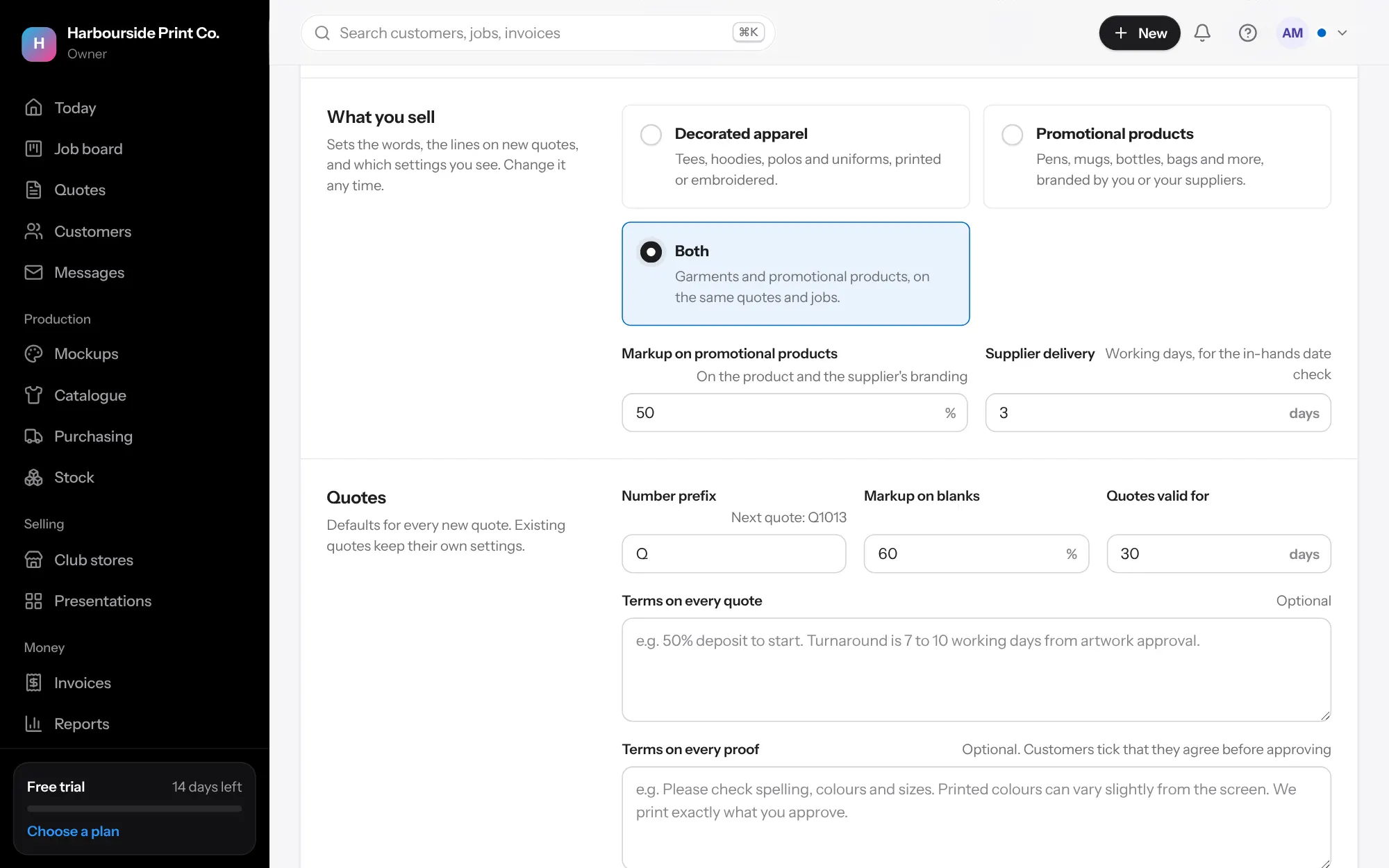
- What you sell Choose Decorated apparel, Promotional products or Both. It sets the words (garments or products), the lines new quotes start with, and which settings you see. Shops that only sell promotional products don't see sizes, dark garment or bigger size settings. Change it any time.
- Promotional products With promo on, set Markup on promotional products (it goes on the product and the supplier's branding) and Supplier delivery, the working days a supplier takes to deliver, used to check in-hands dates.
- Quotes Set the letters before quote numbers (the next number shows underneath), your usual markup, how long quotes stay valid, and the terms on every quote and proof.
- Pricing extras Rounding, the extra for bigger sizes, express and rush fees, names and numbers, your hourly labour cost, a handling fee for customers' own garments, and price levels like Clubs 10% off.
- Invoices and payments Set the invoice number letters and your bank account name, BSB, account number and PayID. They print on every tax invoice. Press Save shop details.
- Other names you trade under Trading under more than one name with the same ABN? Add each one with its own email and phone, and choose one on a customer or quote. See Trading names on the same page.